Turn pages hands-free
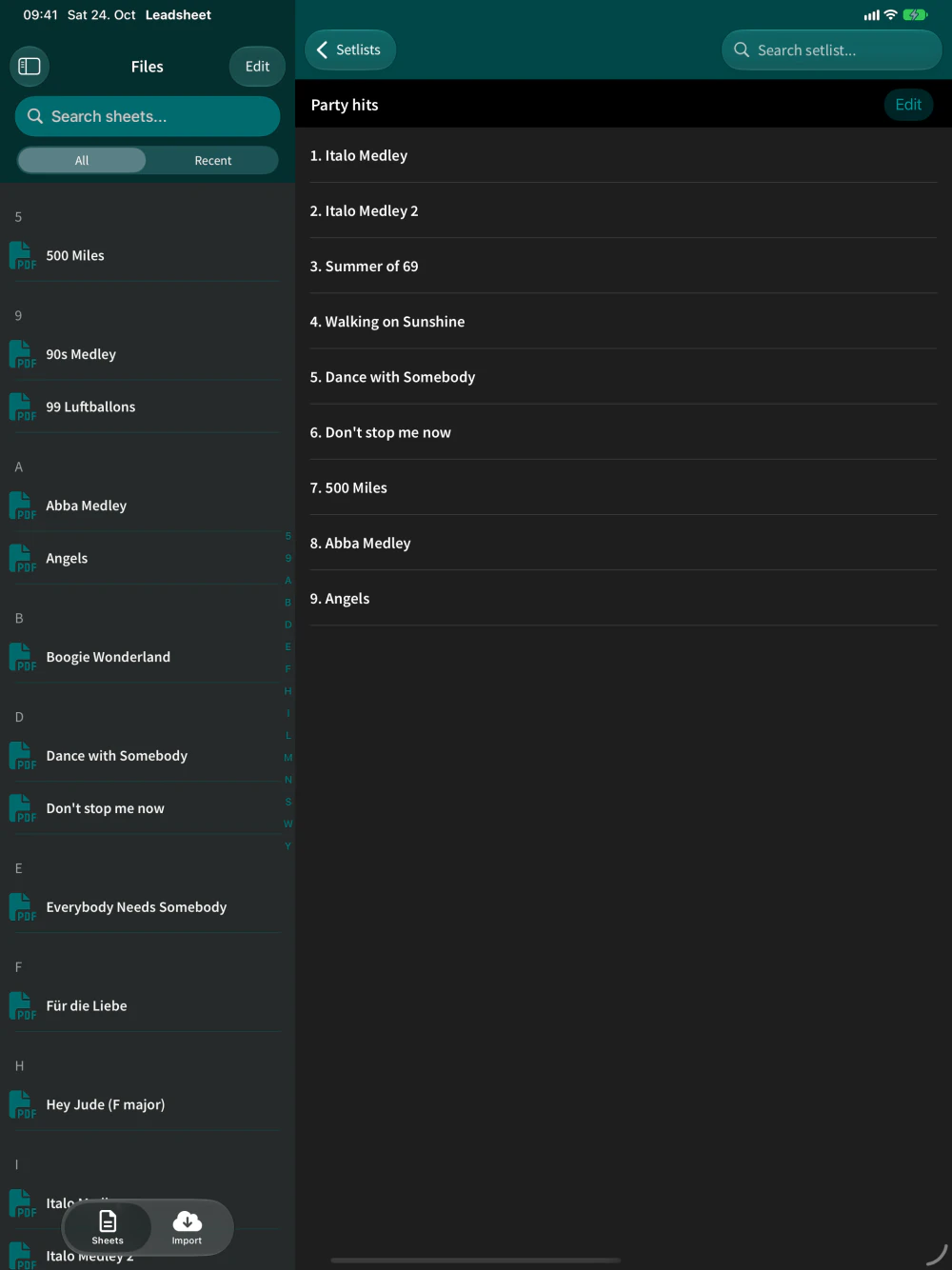
Turn pages with a Bluetooth pedal or a tap on the edge of the page. At the end of a song, Leadsheet moves straight on to the next one in your setlist.
 leadsheet
Download
leadsheet
Download
Leadsheet is the simple sheet music and setlist app for live musicians on iPad. Only what you need on stage: your sheets, your setlists and hands-free page turning with your pedal.

On the App Store since 2018 · For iPad · iPadOS 16 or later
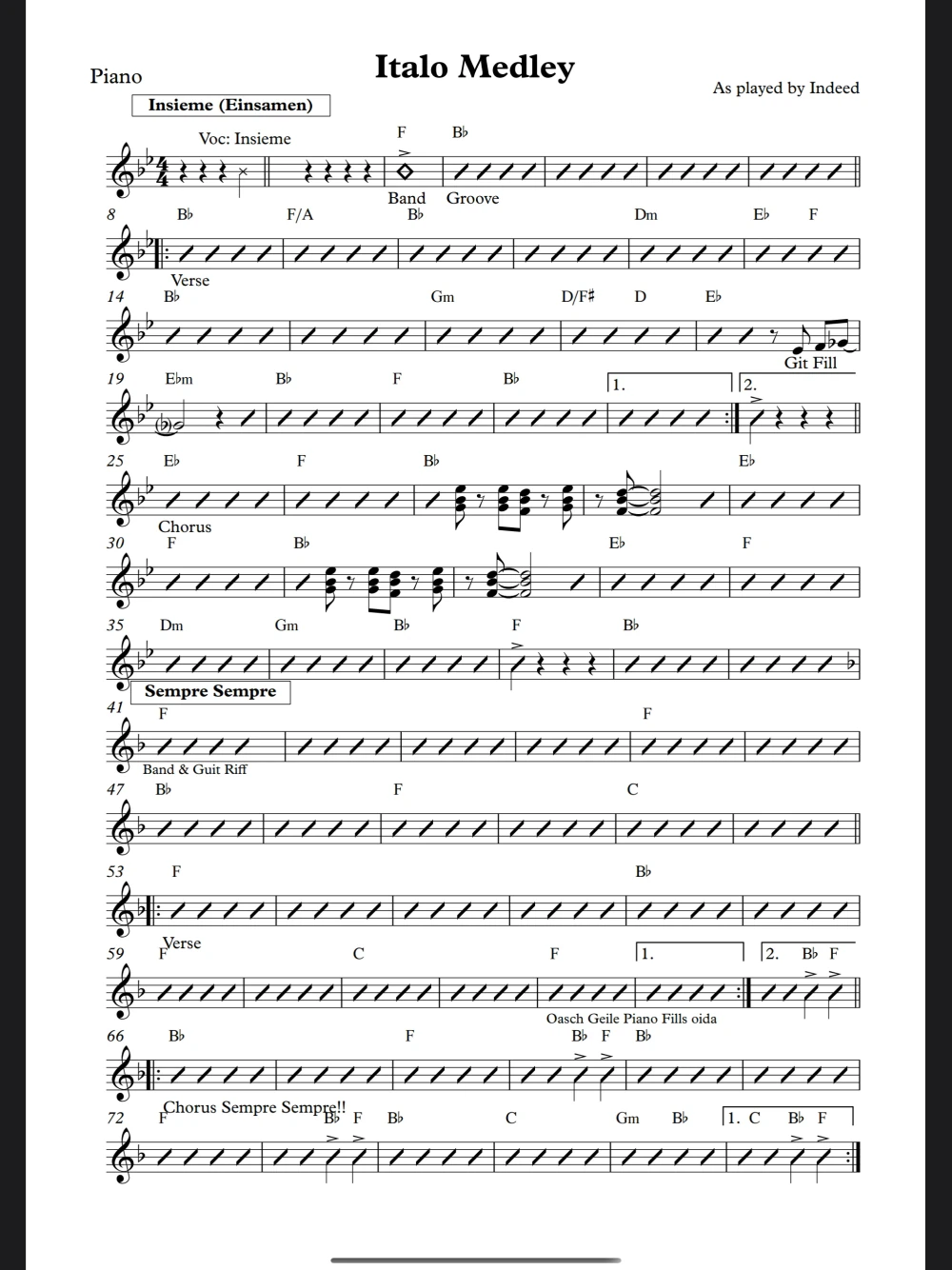
Only the features you need, nothing to dig through. You open it and play.
Musicians have been playing from Leadsheet since 2018.
Turn pages with a Bluetooth pedal or a tap on the edge of the page. At the end of a song, Leadsheet moves straight on to the next one in your setlist.
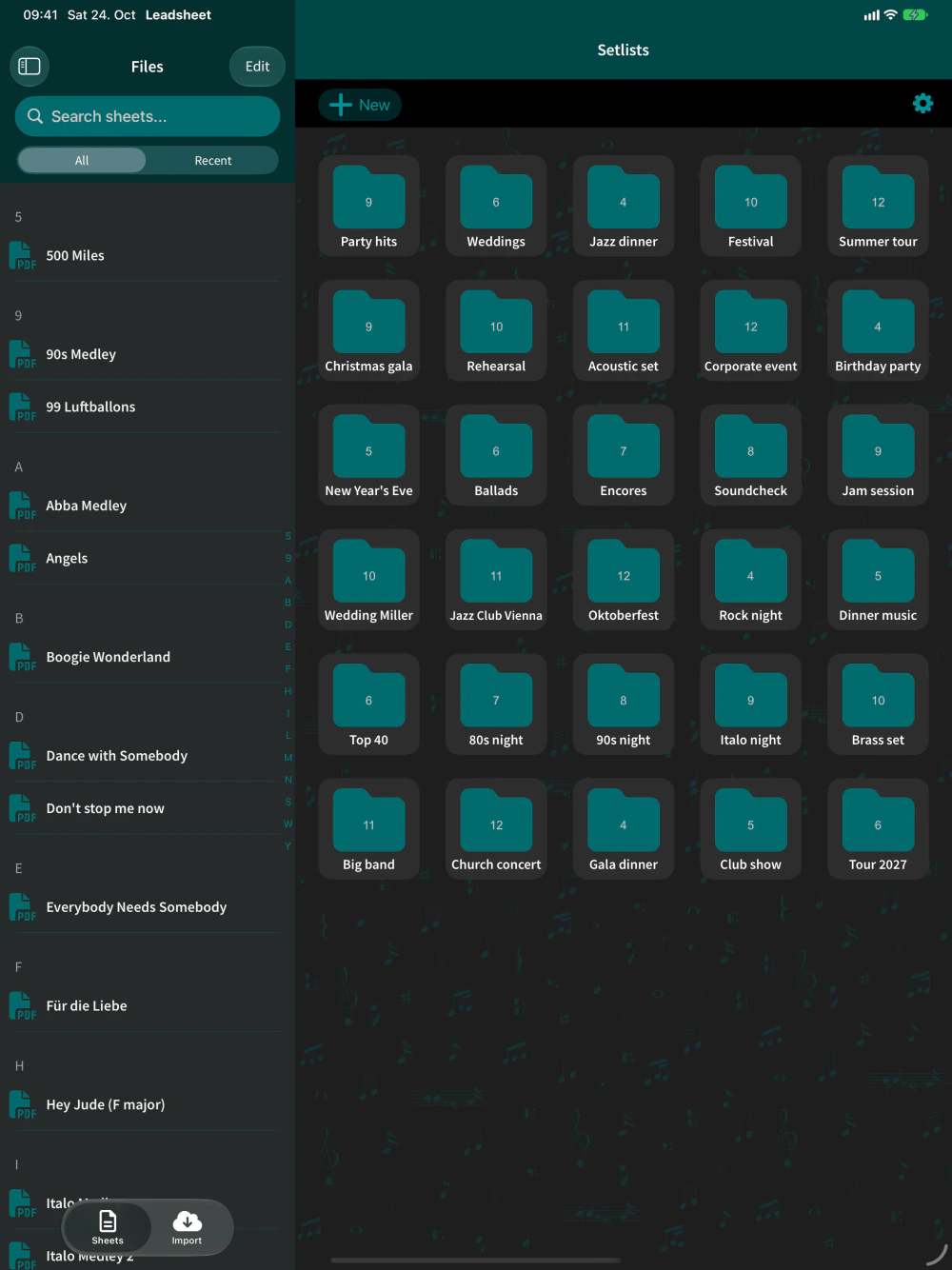
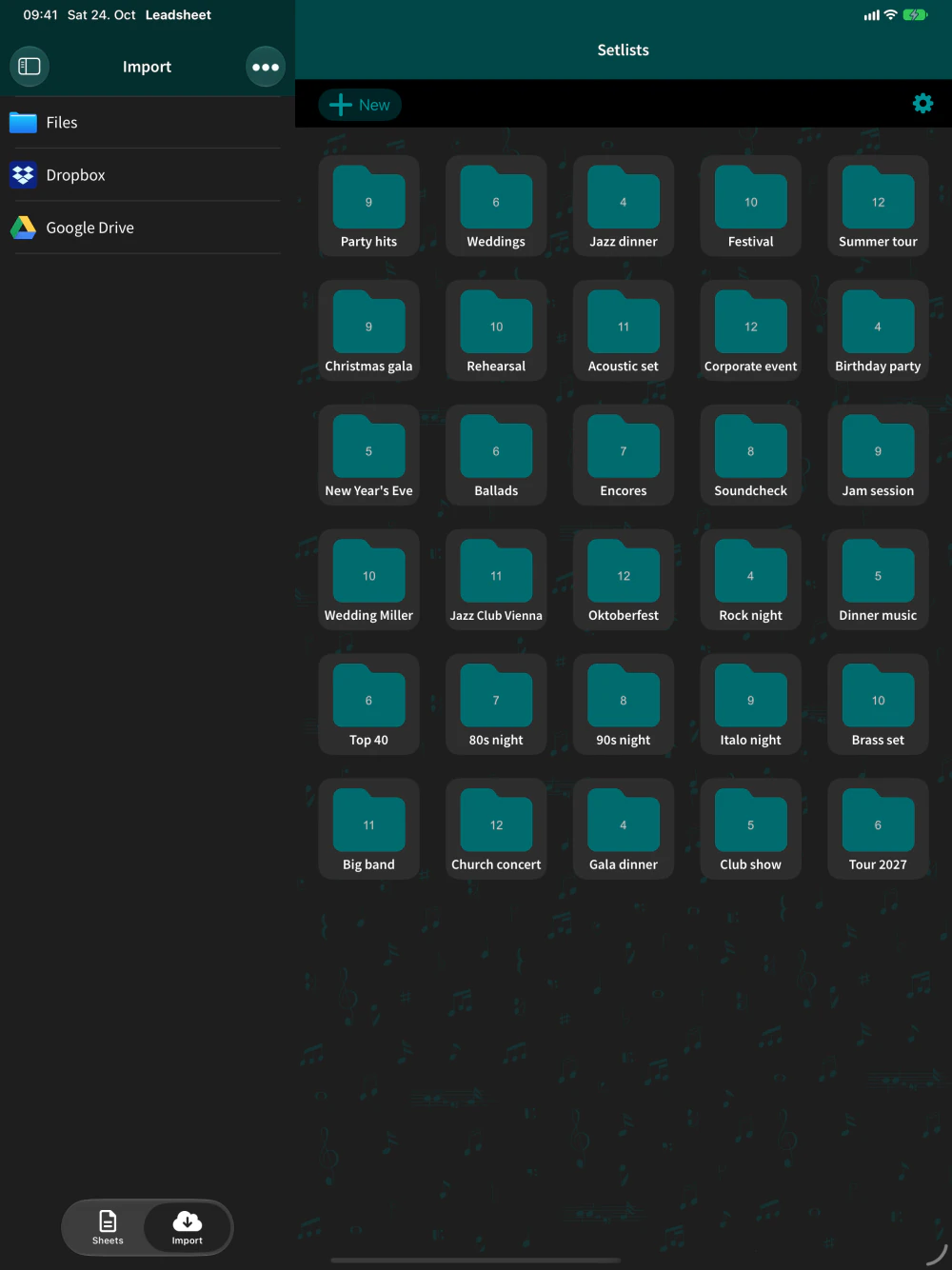
Build setlists for all your shows and bands. Drag sheets in, put songs in order and duplicate a setlist when the next gig is almost the same.
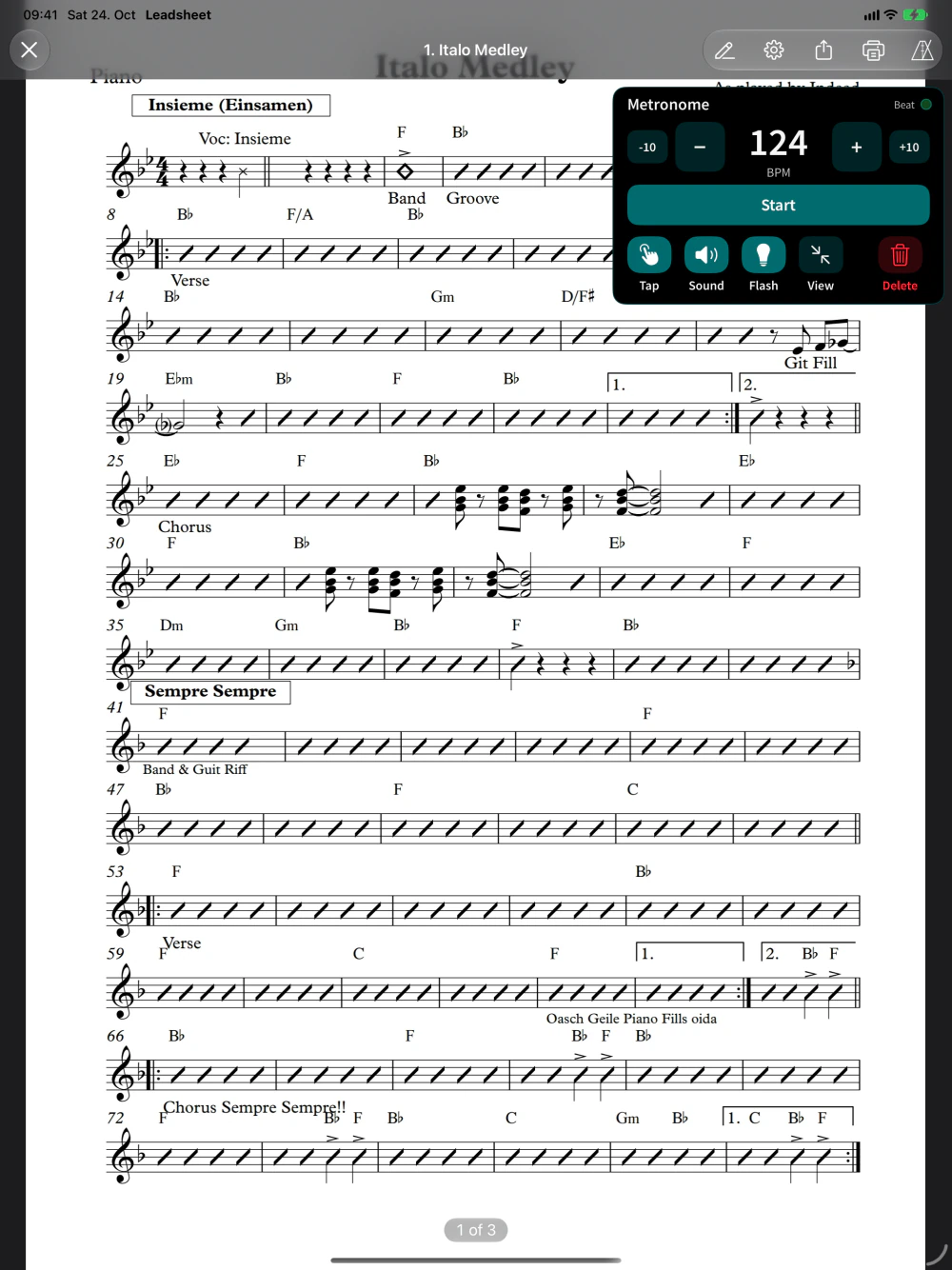
Every sheet remembers its tempo. Start the click with one tap, tap in a new tempo, or let the screen flash on the beat when the sound is off.
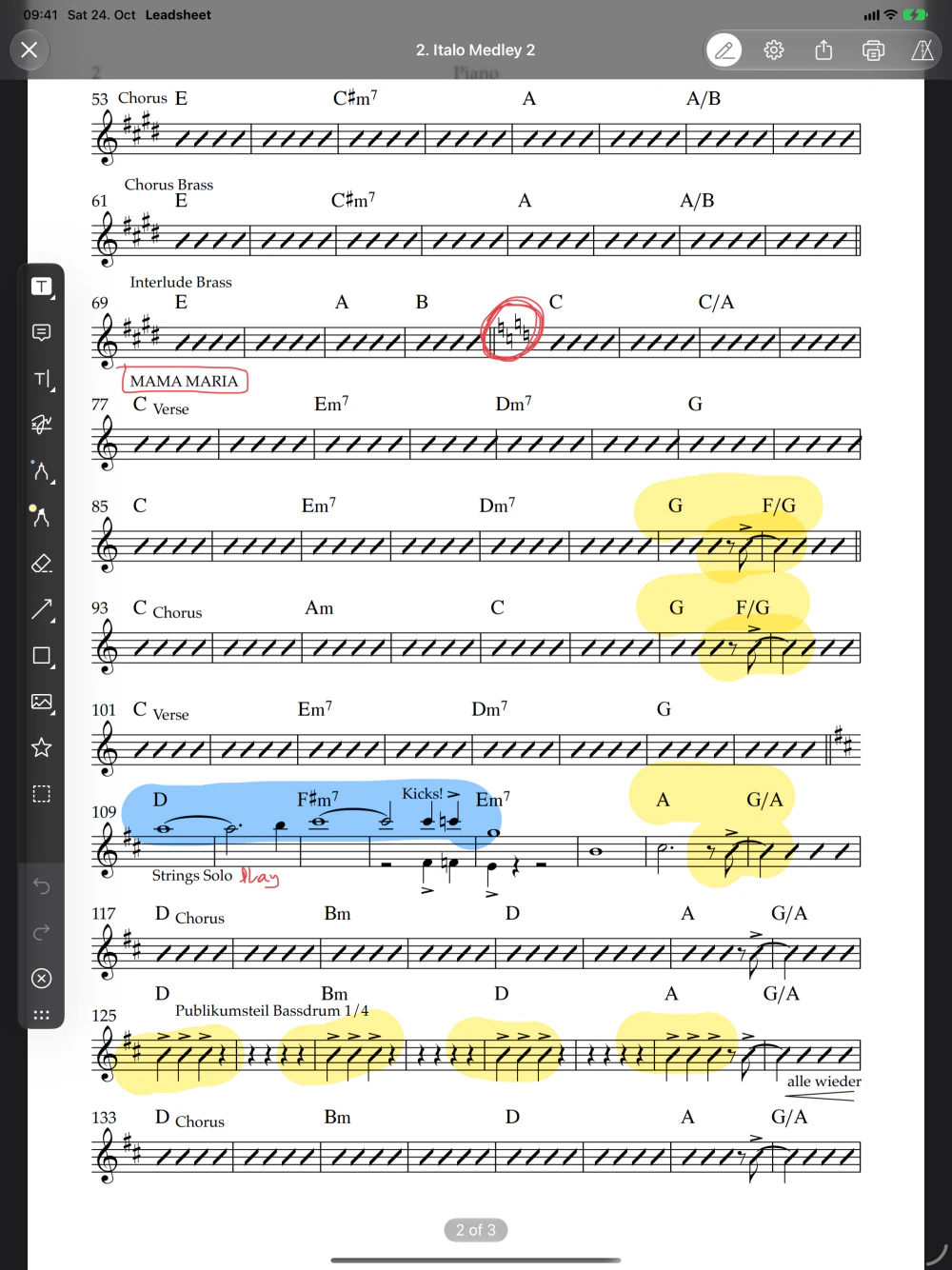
Highlight sections, draw, write notes or circle that coda right on your PDF, so you never miss it again.
Download PDFs from Dropbox and Google Drive right inside the app, or open them from the Files app and other apps. Or AirDrop them five minutes before the gig starts, like every real musician does. ;)
One file holds your whole library with sheets, annotations and setlists. Restore it on a new iPad and carry on.
Easy on the eyes on dark stages, without changing your PDFs.
Your sheets live on your iPad. No signal at the venue? No problem.
Fast, high quality PDF rendering and editing by PSPDFKit.
Bluetooth page turners that work like a keyboard, sending arrow keys or Page Up/Page Down. Pair the pedal with your iPad in the Settings app, open a sheet and press. A tap on the left or right edge of the page turns it too.
Leadsheet keeps to the essentials for playing live: a library, setlists, annotations, a metronome and hands-free page turning. There is little to learn, so you are set up before soundcheck and can rely on it on stage.
Just keep going: on the last page, your pedal or a tap on the right edge takes you to the next song in the setlist. From the first page you go back to the previous one.
In the Import tab you can browse Dropbox and Google Drive and download your PDFs. From the Files app, other apps or AirDrop, share a PDF and choose Leadsheet.
PDF files. Other file types are hidden in the cloud browser so you only see what you can open. If you import a file that is already in your library, Leadsheet asks whether to keep both or replace the existing sheet.
Drag sheets from your library onto a setlist, or select several sheets and tap the setlist. Inside a setlist you can drag songs into the right order.
Yes. Each sheet exists once in your library and every setlist points to it, so your annotations show up everywhere. That also means: delete a sheet from the library and it is gone from all setlists.
Yes, with Apple Pencil or your finger: draw, highlight or add text. Your annotations are saved in the PDF itself and are part of every backup.
Yes. In the sheet viewer you can switch to Night, which shows sheets as white on black, or to Sepia for a warmer, paper-like look. Your PDF files stay unchanged.
No. Instead of clicking, it can flash the screen on the beat, which helps with in-ear monitoring or a loud band. Every sheet remembers its own tempo.
No. There is no account and no sign-up. Your sheets live on your iPad, so Leadsheet works without signal. You only need internet to download from Dropbox or Google Drive.
Yes, with a backup: create one in the settings, save it, for example in iCloud Drive, and restore it on the other iPad. Sheets, annotations and setlists come along. There is no live sync between iPads.
You pay once: no subscription, no ads, no in-app purchases. You find the current price on the App Store page.
No, Leadsheet is made for iPad and needs iPadOS 16 or later.
Write me, I read every mail.